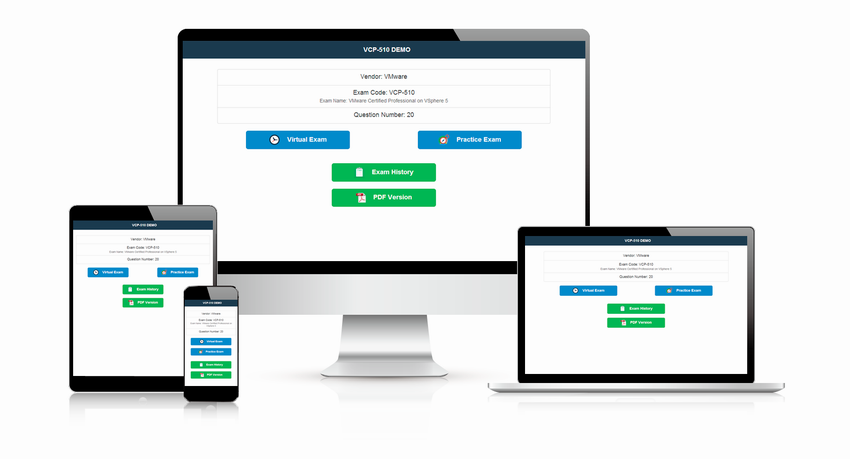
A useless study guide does worse than waste money — it spends your limited hours on points the exam never tests. Test4Cram analyzes frequently tested content and builds the Microsoft Pro: Windows 7, Enterprise Desktop Administrator bank around it: 185 practice questions aimed where it counts.
Microsoft 70-686 Exam Overview:
| Certification Vendor: | Microsoft |
|---|---|
| Exam Name: | Pro: Windows 7, Enterprise Desktop Administrator |
| Exam Number: | 70-686 |
| Passing Score: | 700 out of 1000 |
| Real Exam Qty: | 40-60 |
| Certificate Validity Period: | Retired, no expiration after earned |
| Exam Price: | USD 165 |
| Exam Duration: | 150 minutes |
| Exam Format: | Scenario-Based, Performance-Based, Multiple Choice, Multiple Answer |
| Related Certifications: | MCSA: Windows 7 MCITP: Enterprise Desktop Administrator 7 |
| Available Languages: | German, French, Spanish, English, Japanese |
| Recommended Training: | Microsoft Official Self-Paced Training Kit 6294A: Planning and Managing Windows 7 Desktop Deployments and Environments |
| Exam Registration: | Microsoft Learning (Retired) |
| Sample Questions: |  |
| Exam Way: | Retired exam; originally delivered via Pearson VUE test centers and online proctored format |
| Pre Condition: | Minimum 3 years of experience installing, configuring, and administering Windows clients and deployment tools; recommended prior knowledge of Windows Server and System Center suite |
| Official Syllabus URL: | https://social.technet.microsoft.com/wiki/contents/articles/7747.exam-70-686-pro-windows-7-enterprise-desktop-administrator.aspx |
Microsoft 70-686 Exam Syllabus Topics:
| Section | Weight | Objectives |
|---|---|---|
| Topic 1: Designing a Windows 7 Client Deployment | 15% | - Deployment methods
|
| Topic 2: Designing Client Configurations | 17% | - User state migration
|
| Topic 3: Designing a Standard Image | 17% | - Image creation and customization
|
| Topic 4: Designing Application Packages for Deployment | 17% | - Application compatibility management
|
| Topic 5: Planning and Managing a Client Life Cycle Strategy | 16% | - Client licensing and activation
|
| Topic 6: Identifying and Resolving Deployment and Client Configuration Issues | 19% | - Troubleshooting deployment failures
|
70-686 Exam FAQ: What Candidates Ask
The 70-686 exam is a Microsoft certification exam validating the Microsoft Pro: Windows 7, Enterprise Desktop Administrator syllabus shown above. It belongs to these credential paths: MCITP: Enterprise Desktop Administrator 7, MCSA: Windows 7. Candidates in 2026 prepare for it with Test4Cram's 185 practice questions, available as a printable PDF, a Windows Desktop Test Engine, and an Online Test Engine — three versions of the same materials.
Retired exam; originally delivered via Pearson VUE test centers and online proctored format Register for the Microsoft Pro: Windows 7, Enterprise Desktop Administrator exam through these official channels:
After booking, Test4Cram delivers your practice questions within 1 minute — preparation starts the same day.
Three versions of the same study materials: a printable, expert-prepared PDF with free demo download and instant access; a Desktop Test Engine for Windows that simulates the real exam with two practice modes and works offline; and an Online Test Engine for any browser on Windows, Mac, Android, and iOS with test history and performance review. All 185 practice questions are identical across versions. Every purchase includes 365 days of free updates, a 50% renewal discount afterward, and unlimited computer installations — and the website runs discounts at intervals, so timing your purchase can save a little more.
The Microsoft Pro: Windows 7, Enterprise Desktop Administrator exam contains 40-60 to complete within 150 minutes. Timed simulation in the Test4Cram Desktop Test Engine teaches that rhythm before exam day does.
The official Microsoft Pro: Windows 7, Enterprise Desktop Administrator outline defines 6 domains. The leading three are Designing Application Packages for Deployment (17%), Identifying and Resolving Deployment and Client Configuration Issues (19%), and Designing a Standard Image (17%). The full list is in the topics section above, and Test4Cram's 185 practice questions cover each one.
Microsoft recommends these training resources for the Microsoft Pro: Windows 7, Enterprise Desktop Administrator exam:
- 6294A: Planning and Managing Windows 7 Desktop Deployments and Environments
- Microsoft Official Self-Paced Training Kit
Follow the training with steady self-testing — the 185 practice questions from Test4Cram help you apply theory and fill any gaps the training leaves.
Minimum 3 years of experience installing, configuring, and administering Windows clients and deployment tools; recommended prior knowledge of Windows Server and System Center suite Since requirements change over time, confirm the latest on the official Microsoft exam page before scheduling.
Test4Cram issues a full refund if you take the Microsoft Pro: Windows 7, Enterprise Desktop Administrator exam within 60 days of purchase and do not pass. The policy does not apply if the exam is taken within 3 days of purchase, if the exam was never actually taken, or to free materials or expired orders, and the candidate name must match the payer name. Submit a scan of your enrollment slip and the official Score Report PDF within 2 days of the exam; claims are processed within 7 days. Alternatively, exchange for two free exam products of equal value and keep your original update service. Orders arrive by email within 1 minute — contact support if nothing arrives within 2 hours.
The Microsoft Pro: Windows 7, Enterprise Desktop Administrator exam requires 700 out of 1000 to pass, and registration costs USD 165. A failed attempt means paying the same fee again — a readiness check with the Test4Cram engines before booking is the cheaper option.
Microsoft Pro: Windows 7, Enterprise Desktop Administrator Sample Questions:
HotSpot (Hot Area)
You use Group Policy to configure Windows 7 Enterprise client computers.
You need to modify a Group Policy object (GPO) to specify a custom location for the temp folder.
Which setting should you select? (To answer, select the appropriate setting or settings in the work area.)
Hot Area:
Correct Answer:

New question from the exam
You need to deploy Windows 7 Enterprise in VDI.
You need to select the appropriate license type for the VDI operating system deployment.
Choose two.
- A. Windows Enterprise Centralized Desktop
- B. Microsoft Desktop Optimization Pack
- C. Windows 7 Software Assurance
- D. Windows Virtual Desktop Access
Correct Answer: B,C 🗳️
You deploy Windows 7 and several custom Internet Explorer add-ons to 1,000 client computers.
Internet Explorer closes when users run a specific Web application.
You need to find out whether an add-on is the cause of the problem.
What should you do?
- A. Reset all Internet Explorer security zones to the default levels.
- B. Start Internet Explorer in No Add-ons mode.
- C. Use Group Policy to disable the Programs tab in Internet Explorer for all client computers.
- D. Use Group Policy to turn on Internet Explorer 7 Standards mode.
Correct Answer: B 🗳️
Drag and Drop (Build List and Reorder)
Explanation:
Your company has 1,000 client computers that run Windows 7. The company uses several custom line-ofbusiness applications that are not compatible with Windows 7.
You need to distribute a Microsoft Enterprise Desktop Virtualization (MED-V) virtual machine (VM) image that includes the custom applications to all Windows 7 client computers.
Which three actions should you perform in sequence? (To answer, move the appropriate actions from the list of actions to the answer area and arrange them in the correct order.)
Build List and Reorder:
Correct Answer:

Explanation:
http://social.technet.microsoft.com/wiki/contents/articles/2384.aspx
Topic 2, Company Two
You have an AD DS security group named Toronto Users and another named Toronto Computers.
You are planning the deployment of a new browser by using Group Policy.
You need to ensure that the computers in each office comply with company requirements.
What should you recommend? (Choose all that apply.)
Company, Ltd. (Case Study): Background
You are the desktop architect for a company with 10,000 client computers. Client computers are either portable or desktop computers. All client computers run the 64-bit version of Windows 7 Enterprise. Your network consists of a main office and four regional offices.
Your network has an Active Directory Domain Services (AD DS) in a single-domain, single-forest model. The forest and domain functional levels are set to Windows Server 2008 R2. There are four domain controllers in the main office and two additional domain controllers in each regional office.
All servers run Windows Servers 2008 R2.
The regional offices are listed in the following table with users and WAN connection speeds.
Users in the New York office will have a Customer Relationship Management (CRM) application that is CPU-intensive and only runs on windows 2000 Professional. The Toronto office uses a network-intensive application. All users in the Toronto office use a legacy CRM application that runs on Windows XP only.
The existing client computers are managed with Microsoft System Center Configuration Manager (ConfigMgr) 2007 R3.
Business Requirements
The following business requirements must be maintained or exceeded:
Software Asset Management
The company Software Asset Management (SAM) team has a policy that mandates that after operating systems are deployed, the operating system environment (OSE) must be activated automatically before any additional updates or software are installed in the OSE. The Paris development group has a Key Management Server (KMS) in an isolated test network. All engineering applications are required to maintain compliance with the license agreements of the application vendors.
Technology Requirements
You need to ensure that users can always receive operating system and application updates on the internal network and when away from the main office or branch offices. The mobile staff uses portable computers. In the next remote update of the client computers, you need to deploy an Enterprise Resource Planning (ERP) add-on to Microsoft Internet Explorer. This add-on must support a partner application and integrate with the remote users. The ERP Internet Explorer add-on does not support the 64-bit version of Windows 7.
Virtualization infrastructure
You use Microsoft Application Virtualization (App-V) to deliver applications to computers. You use Microsoft Hyper-V Server 2008 R2 to deliver VDI desktops in a pool. All client operating systems deployed in the VDI pool must be automatically joined to the domain during the deployment process.
New Functionality
The fewest number of servers should be added to the environment to meet the technical goals. A new version of an existing engineering application must be deployed to the users. The new application requires a dedicated graphics processing unit (GPU) with 2 GB of memory.
Technical Requirements
The following technical requirements must be maintained or exceeded:
Infrastructure Requirements
All applications and updates are required to be deployed with the same central management tool. Detailed reporting for compliance audits are required to be available for all application and update deployments.
Application Compatibility
All current applications must be supported on Windows 7. You are licensed for the latest version of the Microsoft Desktop and Optimization Pack (MDOP).
Operating System Environment (OSE) Requirements
You need to ensure that Internet Explorer 9 is not automatically installed on any of the computers in the
Toronto office.
You need to ensure that the Internet Explorer Initial Wizard is not displayed on any Virtual Desktop
Infrastructure (VDI) computers.
Security
All remote access must be logged and audit able. All VDI desktops computers must not send Customer Experience Improvement Program (CEIP) for Internet Explorer or windows Live Messenger.
- A. Deploy the Internet Explorer 9 Blocker to the Toronto Computers group.
- B. Add all Toronto users to the Toronto Users security group.
- C. Deploy the Internet Explorer 9 Admin Kit to the Toronto Users group.
- D. Add all Toronto computers to the Toronto Computers security group.
- E. Download the Internet Explorer 9 Administrative Kit.
- F. Deploy the Internet Explorer 9 Admin Kit to the Toronto Computers group.
- G. Download the Internet Explorer 9 Blocker Toolkit.
- H. Deploy the Internet Explorer 9 Blocker to the Toronto Users group.
Correct Answer: A,D,G 🗳️
Viewing page 1 out of 37 pages.
Viewing questions 1-5 out of 185 questions.