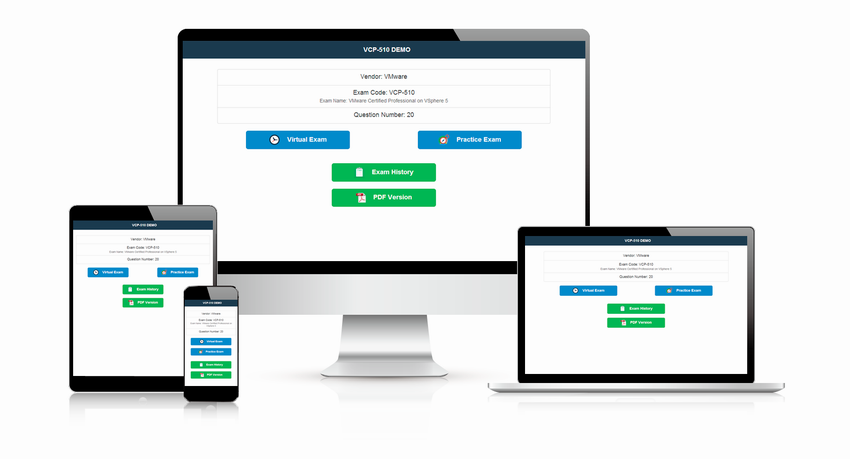
Walking into your 2026 MS-300 exam unprepared for the interface and the clock is a risk you don't need to take. The Test4Cram test engines recreate the Microsoft Deploying Microsoft 365 Teamwork exam environment, complete with a built-in timer and 160 practice questions. Practice under real conditions, and the actual exam will feel like just another rehearsal.
Microsoft MS-300 Exam Overview:
| Certification Vendor: | Microsoft |
|---|---|
| Exam Name: | Deploying Microsoft 365 Teamwork |
| Exam Number: | MS-300 |
| Available Languages: | Japanese, English |
| Real Exam Qty: | 40-60 |
| Exam Duration: | 150 minutes |
| Exam Price: | $165 USD (region-dependent) |
| Related Certifications: | Microsoft 365 Certified: Teamwork Administrator Associate MS-301 |
| Exam Format: | Active screen, Case studies, Best answer, Build list, Multiple choice |
| Certificate Validity Period: | 2 years |
| Passing Score: | 700 / 1000 |
| Recommended Training: | Microsoft Learn - MS-300 Study Guide |
| Exam Registration: | Microsoft Certification Portal |
| Sample Questions: |  |
| Exam Way: | Online proctored or in-person at authorized test centers; **Retired as of August 31, 2020** |
| Pre Condition: | No formal prerequisites; recommended: Microsoft 365 services familiarity, basic networking, Azure AD, PowerShell, and collaboration workload experience |
| Official Syllabus URL: | https://learn.microsoft.com/en-us/credentials/certifications/exams/ms-300/ |
Microsoft MS-300 Exam Syllabus Topics:
| Section | Weight | Objectives |
|---|---|---|
| Configure and manage Microsoft Teams | 20-25% | - Manage Teams services and integration
|
| Configure and manage workload integrations | 15-20% | - Integrate with external systems
|
| Configure and manage SharePoint Online | 35-40% | - Manage migration and hybrid scenarios
|
| Configure and manage OneDrive for Business | 25-30% | - Configure OneDrive settings
|
Microsoft Deploying Microsoft 365 Teamwork FAQs: What Candidates Ask Most
The MS-300 exam is the official test behind the Microsoft 365 Certified: Teamwork Administrator Associate certification, a Associate-level credential from Microsoft. Passing it validates the skills measured by the Microsoft Deploying Microsoft 365 Teamwork objectives and proves to employers that you can apply those skills in real-world scenarios, not just recite theory. The credential also sits alongside related certifications such as MS-301, Microsoft 365 Certified: Teamwork Administrator Associate, making it a strong building block in a broader Microsoft certification path. For candidates planning a longer-term career move, the MS-300 exam is often the step that turns study effort into a verifiable, resumé-ready qualification.
The Microsoft Deploying Microsoft 365 Teamwork blueprint is divided into 4 exam domains. The first three are Configure and manage workload integrations (15-20%), Configure and manage OneDrive for Business (25-30%), and Configure and manage SharePoint Online (35-40%). The weightings matter: they tell you where the bulk of your score comes from, so allocate study time in proportion rather than spreading it evenly. Scroll back to the exam topics section above for the complete domain-by-domain breakdown of the MS-300 exam.
The Microsoft Deploying Microsoft 365 Teamwork exam gives you 150 minutes to work through 40-60 questions. Do the math before test day: divide the total time by the question count to set a steady per-question pace, and treat that number as a hard budget rather than a guideline. When a question eats more than its share, flag it and move on — a flagged question can be revisited, but lost minutes can't. Running two or three full timed mock exams in the Test4Cram test engine before your exam date is the most reliable way to make that pacing automatic.
The passing score for the Microsoft Deploying Microsoft 365 Teamwork exam is 700 / 1000, and the official registration fee is $165 USD (region-dependent). Keep in mind that a failed attempt means paying that fee in full again — there are no discounted retakes — so booking the exam before you're ready is the most expensive shortcut in certification. A practical rule: take a timed self-assessment with Test4Cram practice tests first, and only schedule your seat once you're scoring comfortably above the passing mark with time to spare. That buffer absorbs exam-day nerves and the handful of questions that always seem to come from nowhere.
According to Microsoft, the Microsoft Deploying Microsoft 365 Teamwork exam uses the following question formats: Multiple choice, Case studies, Build list, Active screen, Best answer. Different formats reward different habits. For scenario-based items, read the final sentence of the question stem first so you know what's actually being asked before you dig into the details, and never change an answer unless you can point to the exact clue you missed. The Test4Cram question bank lets you rehearse every format until each one feels routine.
Microsoft currently offers the MS-300 exam in English, Japanese. Choose the language you can reason in fastest under time pressure — reading speed matters more than most candidates expect. If you plan to test in English, working through Test4Cram's 160 English practice questions doubles as terminology training, so the phrasing on exam day feels familiar rather than foreign.
The credential you earn by passing the Microsoft Deploying Microsoft 365 Teamwork exam remains valid for 2 years. That clock is worth protecting: set a reminder well before the expiry date and review the official recertification options early, so staying certified becomes a planned task instead of a last-minute scramble. Recertification policies are set by Microsoft and can change, so confirm the current rules on the official certification page.
Every Microsoft Deploying Microsoft 365 Teamwork product contains the same 160 expert-prepared practice questions; only the way you study with them changes:
- PDF version — printable format, prepared by experts, with instant access to download. Study anywhere, anytime, on any device that opens a document. Includes 365 days of free updates, and a free PDF demo is available.
- Desktop Test Engine — installable software that simulates the real exam environment, with two practice modes and full offline access. Supports MS Windows.
- Online Test Engine — instant online access from all web browsers, with test history and performance review to track your progress. Supports Windows, Mac, Android, and iOS.
Many candidates combine the PDF for daily reading with a test engine for timed weekend mock exams.
Yes. Test4Cram offers a free PDF demo for the Microsoft Deploying Microsoft 365 Teamwork exam, so you can review the question style, difficulty level, and answer quality before you pay anything. Every purchase also includes 365 days of free updates — and if you'd like to extend updates after that period, you can renew at a 50% discount from your member zone. Trying first costs you nothing; it simply tells you whether our material matches the way you learn.
Microsoft adjusts its exams over time, so Test4Cram reviews and updates the Microsoft Deploying Microsoft 365 Teamwork question bank on a continuous basis to reflect the current skills being tested. Your purchase includes 365 days of free updates; after that, you can repurchase the expired product at a 50% discount from your member zone. To catch a fresh release, check the New Releases section on Test4Cram, the status on your product's download page, or the Test4Cram newsletter — and always look for an update a few days before your exam date.
Yes. Test4Cram is protected by McAfee security services, so your transactions and personal data stay safe throughout the purchase process. We never share customer information with third parties — the only emails you receive come from us, and you can ask to be removed from our mailing list at any time.
Test4Cram backs your purchase with a 100% Money Back Guarantee: if you take the corresponding exam within 60 days of your purchase and don't pass, you can apply for a full refund. To qualify, submit a scanned copy of your exam enrollment slip and the official Score Report PDF within 2 days after the exam — refunds are processed within 7 days of submission. Attempts made within 3 days of purchase, material for exams never actually taken, free items, and expired orders are not eligible, and the candidate name must match the payer name. Prefer new material instead of a refund? You can exchange your product for two free exam products of equal value and keep the update service on your original purchase. Delivery itself is instant: your Microsoft Deploying Microsoft 365 Teamwork practice questions are available for download and emailed to you within one minute of payment — if nothing arrives within 2 hours, check your spam folder and contact our support team. There's no limit on how many computers you can install the product on.
Why Candidates Choose Test4Cram for Microsoft Deploying Microsoft 365 Teamwork Preparation
One purchase covers the whole journey: a free demo to start, instant delivery when you buy, and a full year of updates while you study. Your MS-300 product arrives in your mailbox within one minute of payment — if it doesn't show up within 2 hours, our support team will sort it out — and you can install it on as many computers as you need. McAfee security services protect every transaction, and your personal information is never shared with third parties.
- PDF version: printable format, prepared by experts, instant access to download, study anywhere and anytime, 365 days of free updates, free PDF demo available.
- Desktop Test Engine: installable software that simulates the real Microsoft Deploying Microsoft 365 Teamwork exam environment, with two practice modes and offline access, supporting MS Windows.
- Online Test Engine: instant online access from all web browsers, with test history and performance review, supporting Windows, Mac, Android, and iOS.
- Free updates: 365 days included with every purchase; after expiry, renew at a 50% discount from your member zone.
- 100% Money Back Guarantee: if you take the corresponding exam within 60 days of purchase and don't pass, submit your enrollment slip and official Score Report within 2 days after the exam for a full refund, processed within 7 days — or exchange your product for two free products of equal value instead.
Ready when you are: download the free MS-300 demo, pick the format that fits your routine, and start working through 160 practice questions today.
Microsoft Deploying Microsoft 365 Teamwork Sample Questions:
You have a Microsoft 365 subscription.
You need to ensure that when users create a site, they can specify the sensitivity of the site.
How should you complete the command? To answer select the appropriate options m the answer area.
NOTE: Each correct selection is worth one point.
Correct Answer:

Explanation
References:
https://docs.microsoft.com/en-us/sharepoint/dev/solution-guidance/modern-experience-site-classification
You have a Microsoft 365 subscription.
Some users report that they cannot see the Calls tab from the Microsoft Teams client. Other users can see the Calls tab.
You need to ensure that the users can see the Calls tab from the Teams client.
What should you do?
- A. Configure the users as Owners of the team
- B. For each user, run the Grant-CsTeamsUpgradePolicy cmdlet and set PolicyName to Islands
- C. From the legacy Skype for Business admin center, assign a number to the users
- D. For each user, run the Grant-CsTeamsUpgradePolicy cmdlet and set PolicyName to SfbOnly
Correct Answer: B 🗳️
Explanation: Only visible for Test4Cram members. You can sign-up / login (it's free).
Please wait while the virtual machine loads. Once loaded, you may proceed to the lab section. This may take a few minutes, and the wait time will not be deducted from your overall test time.
When the Next button is available, click it to access the lab section. In this section, you will perform a set of tasks in a live environment. While most functionality will be available to you as it would be in a live environment, some functionality (e.g., copy and paste, ability to navigate to external websites) will not be possible by design.
Scoring is based on the outcome of performing the tasks stated in the lab. In other words, it doesn't matter how you accomplish the task, if you successfully perform it, you will earn credit for that task.
Labs are not timed separately, and this exam may have more than one lab that you must complete. You can use as much time as you would like to complete each lab. But, you should manage your time appropriately to ensure that you are able to complete the lab(s) and all other sections of the exam in the time provided.
Please note that once you submit your work by clicking the Next button within a lab, you will NOT be able to return to the lab.
You may now click next to proceed to the lab.
Instructions
Username and Password
Use the following login credentials as needed:
To enter your username, place your cursor in the Sign in box and click on the username below.
To enter your password, place your cursor in the Enter password box and click on the password below.
Microsoft 365 Username: [email protected]
Microsoft 365 Password: 0=M5w*%rYxfj
If the Microsoft 365 portal does not load successfully in the browser, press CTRL-K to reload the portal in a new browser tab.
The following information is for technical support purposes only:
Lab Instance: 11134591
You need to prevent members of a team named Retail from creating new channels and editing the channels of the team.
To complete this task, sign in to Microsoft 365 admin portal.
Correct Answer:
See explanation below
Explanation
As a team owner in Microsoft teams, go to the team name and select More options > Manage team. From
there, you can access your team Settings tab, which lets you:
* Change the team picture.
* Set member permissions (like allowing them to create, update, or delete channels and tabs).
* Enable @team or @[team name] mentions in a channel.
* Set permissions for guests.
* Enable team members to send GIFs, emoji, and stickers.
Reference:
https://support.microsoft.com/en-us/office/go-to-guide-for-team-owners-92d238e6-0ae2-447e-af90-40b1052c454
Please wait while the virtual machine loads. Once loaded, you may proceed to the lab section. This may take a few minutes, and the wait time will not be deducted from your overall test time.
When the Next button is available, click it to access the lab section. In this section, you will perform a set of tasks in a live environment. While most functionality will be available to you as it would be in a live environment, some functionality (e.g., copy and paste, ability to navigate to external websites) will not be possible by design.
Scoring is based on the outcome of performing the tasks stated in the lab. In other words, it doesn't matter how you accomplish the task, if you successfully perform it, you will earn credit for that task.
Labs are not timed separately, and this exam may have more than one lab that you must complete. You can use as much time as you would like to complete each lab. But, you should manage your time appropriately to ensure that you are able to complete the lab(s) and all other sections of the exam in the time provided.
Please note that once you submit your work by clicking the Next button within a lab, you will NOT be able to return to the lab.
You may now click next to proceed to the lab.
Instructions
Username and Password
Use the following login credentials as needed:
To enter your username, place your cursor in the Sign in box and click on the username below.
To enter your password, place your cursor in the Enter password box and click on the password below.
Microsoft 365 Username: [email protected]
Microsoft 365 Password: 0=M5w*%rYxfj
If the Microsoft 365 portal does not load successfully in the browser, press CTRL-K to reload the portal in a new browser tab.
The following information is for technical support purposes only:
Lab Instance: 11134591
You need to ensure that users can only upload documents supporting IRM to the document library in a SharePoint Online site named Retail.
To complete this task, sign in to Microsoft 365 admin portal.
Correct Answer:
See explanation below.
If Rights management has not been activated in your organization yet, follw the following steps.
When you have confirmed that your organization has a plan that includes Azure Rights Management, navigate to the rights management page from the admin center: Settings > Services & add-ins > Microsoft Azure Information Protection > Manage Microsoft Azure Information Protection settings On the rights management page, click When you see the message Do you want to activate Rights Management?, click activate.
After activating the Rights Management service, sign in to the SharePoint admin center to turn on IRM.
Sign in to Office 365 as a global admin or SharePoint admin.
Select the app launcher icon in the upper-left and choose to open the Microsoft 365 admin center. (If you don't see the Admin tile, you don't have Office 365 administrator permissions in your organization.) In the left pane, choose Admin centers In the left pane, choose settings, and then choose In the Information Rights Management (IRM) Use the IRM service specified in your configuration, and then choose Refresh IRM Settings. After you refresh IRM settings, people in your organization can begin using IRM in their SharePoint lists and document libraries. However, the options to do so may take up to an hour to appear in Library Settings and List Settings.
To apply IRM to a list or library:
Go to the list or library for which you want to configure IRM.
On the ribbon, click the Library tab, and then click Library Settings. (If you are working in a list, click the List tab, and then click List Settings).
Under Permissions and Management, click Information Rights Management. If the Information Rights Management link does not appear, IRM might not be enabled for your site. Contact your server administrator to see if it is possible to enable IRM for your site. The Information Rights Management link does not appear for picture libraries.
On the Information Rights Management Settings page, select the Restrict permission to documents in this library on download check box to apply restricted permission to documents that are downloaded from this list or library.
In the Create a permission policy title box, type a descriptive name for the policy that you can use later to differentiate this policy from other policies. For example, you can type Company Confidential if you are applying restricted permission to a list or library that will contain company documents that are confidential.
In the Add a permission policy description box, type a description that will appear to people who use this list or library that explains how they should handle the documents in this list or library. For example, you can type Discuss the contents of this document only with other employees if you want to restrict access to the information in these documents to internal employees.
To apply additional restrictions to the documents in this list or library, click Show Options, and do any of the following:
After you finish selecting the options you want, click OK.
References:
https://docs.microsoft.com/en-us/azure/information-protection/activate-service
https://docs.microsoft.com/en-us/azure/information-protection/activate-office365
https://docs.microsoft.com/en-us/microsoft-365/compliance/set-up-irm-in-sp-admin-center?view=o365-worldwid
Your company has a Microsoft Office 365 subscription.
The company uses Microsoft Teams.
You need to ensure that only Microsoft apps can be used in Teams.
What should you do from the Microsoft Teams settings page?
- A. Disable the default apps
- B. Turn off Allow external apps in Microsoft Teams
- C. Turn off Allow sideloading of external apps
- D. Turn off Enable new external apps by default
Correct Answer: B 🗳️
Viewing page 1 out of 32 pages.
Viewing questions 1-5 out of 160 questions.