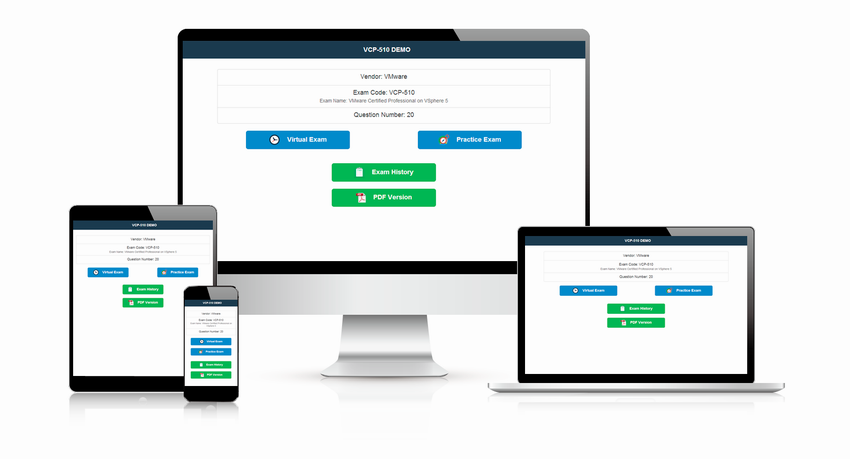
Practicing in an environment that looks and feels like the real test removes the biggest unknown on exam day. Test4Cram brings that simulation to your UiPath Automation Developer Associate v1 preparation with 384 practice questions and an interactive test engine modeled on the actual exam structure.
UiPath UiPath-ADAv1 Exam Overview:
| Certification Vendor: | UiPath |
|---|---|
| Exam Name: | UiPath Automation Developer Associate v1.0 Exam |
| Exam Number: | UiADAv1 |
| Real Exam Qty: | 60 (approx.) |
| Exam Duration: | 90 minutes |
| Available Languages: | Japanese, English |
| Related Certifications: | UiPath Automation Developer Professional UiPath Specialized AI Associate |
| Exam Format: | Scenario-based Questions, Multiple Choice, Multiple Select, Drag and Drop |
| Exam Price: | $150 USD |
| Passing Score: | 70% |
| Certificate Validity Period: | 3 years |
| Recommended Training: | UiPath Automation Developer Associate Training Coursera UiPath Automation Developer Associate Course |
| Exam Registration: | UiPath Certification Portal Pearson VUE UiPath Exams |
| Sample Questions: |  |
| Exam Way: | Online proctored or test center (Pearson VUE) |
| Pre Condition: | No strict prerequisites, but completion of UiPath Automation Developer Associate training is recommended. |
| Official Syllabus URL: | https://www.uipath.com/learning/certification |
UiPath UiPath-ADAv1 Exam Syllabus Topics:
| Section | Objectives |
|---|---|
| Variables and Data Manipulation | - Data Types and Collections - Variables and Arguments |
| UI Automation | - UI Interaction Activities - Selectors and Object Identification |
| UiPath Studio Fundamentals | - Activities and Workflow Design - Studio Interface & Project Structure |
| Orchestrator and Integration | - Integration Services - Orchestrator Basics |
| Business Knowledge | |
| Advanced Topics | - Version Control Integration - Workflow Analyzer and Best Practices - Debugging and Troubleshooting |
| Data Handling | - Excel Automation - PDF and Email Automation - File and Folder Operations |
| UiPath Platform Knowledge | |
| Control Flow and Logic | - Conditions and Loops - Error Handling Basics |
UiPath-ADAv1 Preparation Questions and Answers
This package includes 384 practice questions for the UiPath Automation Developer Associate v1 exam. Every answer is verified by an experienced team of experts, so you can trust what you study.
The UiPath Automation Developer Associate v1 exam requires a score of 70% to pass, and the official registration fee is $150 USD. Factoring in both before you start helps you plan the full cost of certification.
Many candidates combine practice questions with official training. Recommended options include:
One purchase covers the full journey: three versions of the material (PDF, PC test engine, and online version), a free demo to try before buying, 365 days of free updates delivered automatically, and customer service you can reach whenever a question comes up. Nothing essential is sold separately.
The UiPath Automation Developer Associate v1 practice questions are organized around the official exam objectives. Key topics include:
- Data Handling ()
- UiPath Platform Knowledge ()
- Variables and Data Manipulation ()
Keeping your revision mapped to these objectives makes every session productive.
Yes. Candidates who come back for additional certifications receive discounts when they buy further practice packages. If you already hold one of our products, ask our staff about the current returning-customer offer before your next purchase.
You can register for the UiPath Automation Developer Associate v1 exam through the official channels:
No strict prerequisites, but completion of UiPath Automation Developer Associate training is recommended.
You can confirm the current eligibility requirements on the official UiPath-ADAv1 exam page before you register.
The UiPath Automation Developer Associate v1 exam contains 60 (approx.) questions, and you will have 90 minutes minutes to complete them. Training against the same volume of questions prepares both your knowledge and your pace.
UiPath Automation Developer Associate v1 Sample Questions:
What happens to the generated variable when you manually create an output variable in the output field in UiPath Studio?
- A. The activity that uses the manually created variable will be deleted.
- B. The generated variable will be copied and stored for future use.
- C. It will replace the generated variable with the variable that you created.
- D. The manually created variable will be overridden by the generated variable.
Correct Answer: C 🗳️
Explanation: Only visible for Test4Cram members. You can sign-up / login (it's free).
You are invoking a workflow file called "SecondaryWorkflow.xaml" from "PrimaryWorkflow.xamr. The following shows the Import Arguments panel of the Invoke Workflow File activity:
In addition, the following reflects the Arguments panel in ''SecondaryWorkflow.xaml":
You use a Log Message activity in "SecondaryWorkflow.xamr to print the value of the argument
"in_Message". What is the expected result of executing "PrimaryWorkflow.xaml"?
- A. The Log Message activity displays an empty string.
- B. Log message "This is the second file".
- C. Log message "Invoked from the first file".
- D. A System.ArgumentException is thrown at the Invoke Workflow File activity.
Correct Answer: C 🗳️
Explanation: Only visible for Test4Cram members. You can sign-up / login (it's free).
Suppose a developer is working with a 2023 yearly calendar. To expand the calendar into a monthly view, the developer must always click on the 15th day of the current month and add an event.
The selector for the Event Date Element activity in March is presented as follows:
<wnd app='applicationframehost.exe' title='Month View - Calendar' />
<uia cls='Day' name='15 March 2023' />
How should the selector be altered to guarantee that it clicks on the 15th of the ongoing month?
- A. <wnd app='applicationframehost.exe' title='Month View - Calendar' />
<uia cls='Day' name='*15*' /> - B. <wnd app='applicationframehost.exe' title='Month View - Calendar' />
<uia cls='Day' name='15* 20 ?? ' /> - C. <wnd app='applicationframehost.exe' title='Month View - Calendar' />
<uia cls='Day' name='15 ? 20 ?? ' /> - D. <wnd app='applicationframehost.exe' title='Month View - Calendar' />
<uia cls='Day' name='15 * 2023' />
Correct Answer: B 🗳️
Explanation: Only visible for Test4Cram members. You can sign-up / login (it's free).
Application developers can specify which ServiceNow page a user sees after submitting a new record using the Record Producer UI. How is the page specified?
- A. Create an application property to store the URL
- B. Write a script in the Record Producer's Script field: producer.redirect = "<URL>";
- C. Write an after Business Rule script for the Record Producer's table: window.redirect = "<URL>";
- D. Configure the page in the Module that opens the Record Producer UI
Correct Answer: B 🗳️
Explanation: Only visible for Test4Cram members. You can sign-up / login (it's free).
Where can the UiPath Robot logs be stored for centralized access and analysis?
- A. UiPath Orchestrator.
- B. Local text files only.
- C. Microsoft Excel files.
- D. Directly into a database.
Correct Answer: A 🗳️
Explanation: Only visible for Test4Cram members. You can sign-up / login (it's free).
Viewing page 1 out of 77 pages.
Viewing questions 1-5 out of 384 questions.