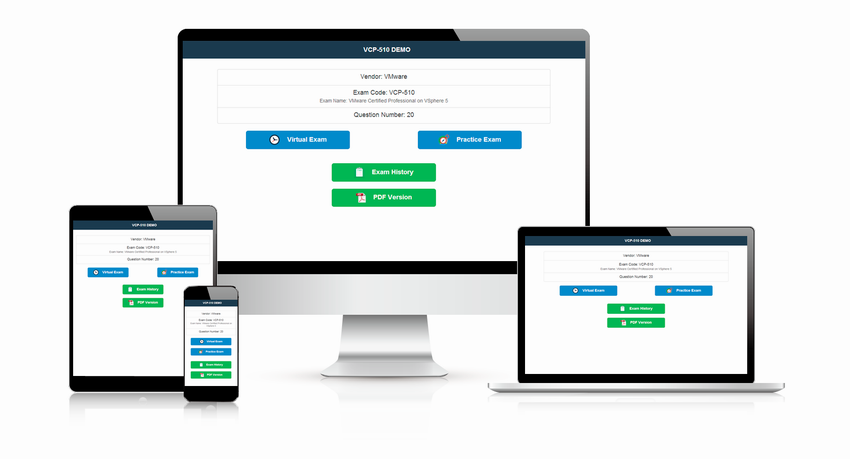
No connection? No problem. The online AZ-400 Korean version at Test4Cram downloads once while you are online and then works offline on any device — planes, trains and dead zones become study sessions instead of dead time.
Microsoft AZ-400 Korean Exam Overview:
| Certification Vendor: | Microsoft |
|---|---|
| Exam Name: | Designing and Implementing Microsoft DevOps Solutions |
| Exam Number: | AZ-400 |
| Exam Price: | $165 USD |
| Real Exam Qty: | 40-60 |
| Related Certifications: | Microsoft Certified: Azure DevOps Engineer Expert |
| Passing Score: | 700 |
| Exam Format: | Multiple choice, Case studies, Hot area, Multiple response, Build list, Best answer, Active screen, Drag and drop |
| Available Languages: | Italian, Indonesian, Korean, Spanish, Chinese (Simplified), Portuguese (Brazil), English, German, Chinese (Traditional), Russian, Japanese, French |
| Exam Duration: | 100-120 |
| Certificate Validity Period: | 1 year (subject to renewal requirements) |
| Sample Questions: |  |
| Exam Way: | Online (proctored) or at a Pearson VUE testing center |
| Pre Condition: | Candidates must have subject matter expertise working with people, processes, and technologies to continuously deliver business value. Recommended to have Azure Administrator or Azure Developer Associate certification. |
| Official Syllabus URL: | https://learn.microsoft.com/en-us/credentials/certifications/exams/az-400/ |
Microsoft AZ-400 Korean Exam Syllabus Topics:
| Section | Objectives |
|---|---|
| Design and implement build and release pipelines (50-55%) | - Implement infrastructure as code (IaC)
|
| Design and implement source control (15-20%) | - Design and implement a source control strategy
|
| Implement an instrumentation strategy (10-15%) | - Configure monitoring for a DevOps environment
|
| Configure processes and communications (10-15%) | - Configure activity traceability and flow of work
|
| Develop a security and compliance plan (10-15%) | - Implement and manage pipelines security
|
Preparing for AZ-400 Korean with Test4Cram: The Essentials
- Configure processes and communications (10-15%) ()
- Design and implement build and release pipelines (50-55%) ()
- Implement an instrumentation strategy (10-15%) ()
Microsoft Designing and Implementing Microsoft DevOps Solutions (AZ-400 Korean Version) Sample Questions:
당신은 GitHub를 사용하여 App1이라는 앱을 만들 계획입니다.
App1에 대한 빌드 및 배포 솔루션을 추천해 주셔야 합니다. 해당 솔루션은 다음 요구 사항을 충족해야 합니다.
* App1의 코드는 빌드가 성공적으로 완료된 후에만 테스트를 위해 제출해야 합니다.
* 빌드를 릴리스하기 전에 변경 관리 팀의 승인을 받아야 합니다.
각 요구사항에 대한 권장 사항에는 무엇을 포함해야 할까요? 정답을 선택하려면 답변란에서 적절한 옵션을 고르세요. 참고: 각 정답은 1점입니다.
Correct Answer:

Explanation:
GitHub를 사용하여 소스 코드 관리 및 버전 관리를 수행합니다.
용량이 큰 파일이 실수로 저장소에 커밋되었습니다.
저장소 크기를 줄여야 합니다. 해결 방법은 저장소에서 해당 파일을 삭제하는 것입니다.
무엇을 사용해야 할까요?
- A. 1fs
- B. 초기화
- C. bfg
- D. gvfs
Correct Answer: C 🗳️
참고: 이 문제는 동일한 시나리오를 제시하는 일련의 문제 중 하나입니다. 각 문제는 명시된 목표를 충족할 수 있는 고유한 답안을 포함하고 있습니다. 일부 문제 세트에는 정답이 두 개 이상 있을 수 있고, 다른 문제 세트에는 정답이 없을 수 있습니다.
이 섹션의 질문에 답변한 후에는 더 이상 해당 질문으로 돌아갈 수 없으며, 해당 질문은 검토 화면에 나타나지 않습니다.
웹앱을 배포하는 데 사용되는 Azure 파이프라인이 있습니다. 이 파이프라인에는 TestSuite1이라는 테스트 도구 모음이 포함되어 있습니다. TestSuite1은 웹앱의 작동을 검증하는 데 사용됩니다.
TestSuite1이 간헐적으로 실패합니다.
오류가 소스 코드와 실행 환경의 변경과 관련이 없다는 것을 파악했습니다.
TestSuite1 오류에 대한 문제 해결 노력을 최소화해야 합니다.
해결 방법: 테스트 영향 분석(TIA)을 활성화합니다.
이것이 목표를 달성하는가?
- A. 아니요
- B. 네
Correct Answer: A 🗳️
az400-9940427-func1이라는 이름의 App Service 플랜에 호스팅된 Azure 함수가 있습니다.
https://github.com/Azure-Samples/functions-quickstart의 마스터 브랜치에 새 코드가 커밋될 때마다 함수가 자동으로 업그레이드되도록 az400-9940427-func1을 구성해야 합니다.
이 작업을 완료하려면 Microsoft Azure 포털에 로그인하십시오.
Correct Answer:
See solution below.
Explanation:
1. Open Microsoft Azure Portal
2. Log into your Azure account, select App Services in the Azure portal left navigation, and then select configureaz400-9940427-func1.
3. On the app page, select Deployment Center in the left menu.
4. On the Build provider page, select Azure Pipelines (Preview), and then select Continue.
5. On the Configure page, in the Code section:
For GitHub, drop down and select the Organization, Repository, and Branch you want to deploy continuously.
6. Select Continue.
7. On the Test page, choose whether to enable load tests, and then select Continue.
8. Depending on your App Service plan pricing tier, you may see a Deployto staging page. Choose whether to enable deployment slots, and then select Continue.
9. After you configure the build provider, review the settings on the Summary page, and then select Finish.
References:
https://docs.microsoft.com/en-us/azure/app-service/deploy-continuous-deployment
RBAC가 활성화된 클러스터에서 Helm과 Title을 사용하여 Azure Kubemets Service(AKS)에 차트를 배포하는 솔루션을 추천해야 합니다.
어떤 명령어 세 개를 순서대로 실행하는 것이 좋을까요? 답변하려면 명령어 목록에서 적절한 명령어를 선택하여 답변 영역으로 옮기고 올바른 순서대로 배열하세요.
Correct Answer:

Explanation:
Step 1: Kubectl create
You can add a service account to Tiller using the --service-account < NAME > flag while you're configuring Helm (step 2 below). As a prerequisite, you'll have to create a role binding which specifies a role and a service account name that have been set up in advance.
Example: Service account with cluster-admin role
$ kubectl create -f rbac-config.yaml
serviceaccount " tiller " created
clusterrolebinding " tiller " created
$ helm init --service-account tiller
Step 2: helm init
To deploy a basic Tiller into an AKS cluster, use the helm init command.
Step 3: helm install
To install charts with Helm, use the helm install command and specify the name of the chart to install.
References:
https://docs.microsoft.com/en-us/azure/aks/kubernetes-helm
https://docs.helm.sh/using_helm/#tiller-namespaces-and-rbac
Viewing page 1 out of 126 pages.
Viewing questions 1-5 out of 628 questions.