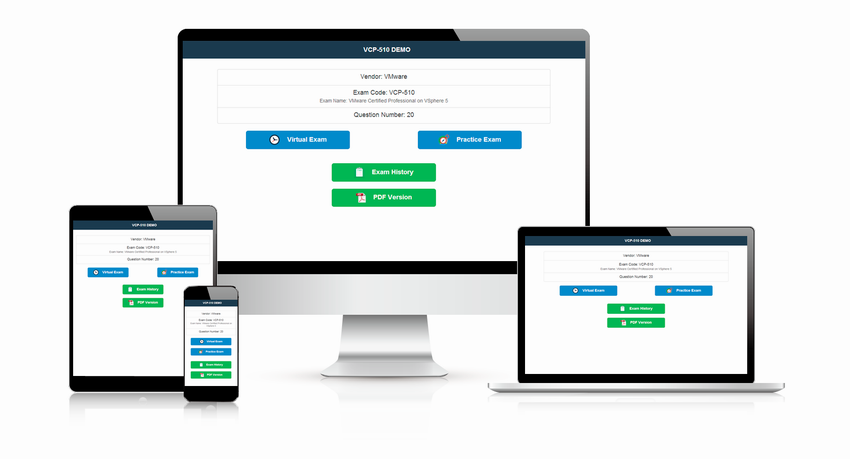
Doubting study materials before buying is healthy; good ones welcome it. The 70-643 exam materials at Test4Cram are written and checked by professional experts, and a free demo lets you inspect their quality yourself — no leap of faith required for the Microsoft Windows Server 2008 Applications Infrastructure, Configuring content.
Microsoft 70-643 Exam Overview:
| Certification Vendor: | Microsoft |
|---|---|
| Exam Name: | Configuring Windows Server 2008 Applications Infrastructure |
| Exam Number: | 70-643 |
| Certificate Validity Period: | Retired (no longer available as an active certification exam) |
| Passing Score: | 700/1000 |
| Related Certifications: | MCTS: Windows Server 2008 Active Directory Configuration MCTS: Windows Server 2008 Network Infrastructure Configuration MCITP: Enterprise Administrator MCITP: Server Administrator |
| Exam Format: | Case studies, Multiple choice, Scenario-based questions |
| Available Languages: | English, Korean, Simplified Chinese, Japanese, German, French |
| Exam Duration: | 120 minutes |
| Real Exam Qty: | 40-60 |
| Exam Price: | USD 165 (varies by region) |
| Recommended Training: | Microsoft Learn (Windows Server resources) Windows Server 2008 Documentation (Archived) |
| Exam Registration: | Microsoft Certification Portal (Retired Exams) Pearson VUE Microsoft Exams |
| Sample Questions: |  |
| Exam Way: | Delivered via Pearson VUE testing centers or online proctoring (when available) |
| Pre Condition: | No formal prerequisites, but recommended knowledge of Windows Server 2008 fundamentals and networking concepts |
| Official Syllabus URL: | https://learn.microsoft.com/en-us/credentials/certifications/retired-certifications/ |
Microsoft 70-643 Exam Syllabus Topics:
| Section | Objectives |
|---|---|
| Topic 1: Configure Terminal Services (Remote Desktop Services) | - Remote Desktop Session Host configuration
|
| Topic 2: Configure Application Server Infrastructure | - Distributed application support
|
| Topic 3: Manage and Maintain Application Environment | - Security and updates
|
| Topic 4: Install and Configure Windows Server 2008 Application Infrastructure | - Server roles and features deployment
|
| Topic 5: Configure Web Services (IIS 7) | - Web application deployment
|
The Microsoft Windows Server 2008 Applications Infrastructure, Configuring Exam: What You Are Asking
The official outline structures the 70-643 exam around weighted domains such as:
- Configure Application Server Infrastructure ()
- Install and Configure Windows Server 2008 Application Infrastructure ()
- Configure Web Services (IIS 7) ()
In the Microsoft Windows Server 2008 Applications Infrastructure, Configuring materials at Test4Cram, the key knowledge points within these domains are clearly underlined, so the heavy areas get the attention they deserve without extra digging.
No formal prerequisites, but recommended knowledge of Windows Server 2008 fundamentals and networking concepts
The 70-643 exam is the official assessment for the Microsoft Windows Server 2008 Applications Infrastructure, Configuring certification from Microsoft. It measures how well you can apply the published exam objectives in realistic scenarios — and for professionals looking to change their current situation, the credential is one of the most concrete ways to demonstrate new, verifiable skills.
Professional experts — and then other experts check their work. The 70-643 exam content is compiled by specialists deeply familiar with the real exam, who make the knowledge easy to understand and keep the descriptions vivid rather than dry. Before release, the materials go through repeated rounds of checking, and the key knowledge points are clearly underlined throughout. That two-layer process — written by experts, verified by experts — is what the quality of the Test4Cram question bank rests on.
Passing the 70-643 exam requires 700/1000, and the registration fee is USD 165 (varies by region). Knowing your target score early turns practice sessions into measurable progress rather than guesswork.
Microsoft lists the following training resources:
Official courses explain the concepts; well-organized practice questions with underlined key points make revision fast. The two complement each other nicely.
The 70-643 exam contains 40-60 questions with a time allowance of 120 minutes minutes. Practicing complete timed sets is the reliable way to make that pace feel manageable on the day.
Safe and automatic. The installation package from Test4Cram is clean — no viruses, no bundled extras — and it arrives by email about a minute after payment. Afterwards, whenever a new version of the 70-643 exam materials is released, our system automatically emails it to you at once; you simply check your inbox regularly and download. This update service is free for 365 days, and extends at a 50% renewal discount beyond that.
Registration for the 70-643 exam is handled through the official channels below:
If you have the determination to change your current situation, booking a date is the moment that determination becomes a plan.
Microsoft Windows Server 2008 Applications Infrastructure, Configuring Sample Questions:
You have the Web Server (IIS) server role installed on a server that runs Windows Server 2008 R2. You create a Web site named contoso.com. You copy an application named WebContent to the server.
You need to enable the WebContent application on the Web site.
What should you do?
- A. At the command prompt on the server, run the appcmd add site command.
- B. Select the Web site from the Internet Information Services (IIS) Manager console. Select Add Virtual Directory.
- C. At the command prompt on the server, run the appcmd add vdir command.
- D. Select the Web site from the Internet Information Services (IIS) Manager console. Select Add Application.
Correct Answer: D 🗳️
Explanation: Only visible for Test4Cram members. You can sign-up / login (it's free).
Your network contains a server that runs Windows Server 2008 R2.
You install Windows Media Services on the server.
You need to stream a live video broadcast. The solution must minimize any delays caused by network congestion.
What should you do?
- A. Create an on-demand publishing point that delivers content by using unicast. Stream the content by using real-time streaming protocol (RTSP).
- B. Create a broadcast publishing point that delivers content by using unicast. Stream the content by using HTTP.
- C. Create an on-demand publishing point that delivers content by using unicast. Stream the content by using HTTP.
- D. Create a broadcast publishing point that delivers content by using multicast. Stream the content by using real-time streaming protocol (RTSP).
Correct Answer: D 🗳️
CORRECT TEXT
Your company contains an Active Directory domain named adatum.com. The domain contains a server named Servers that runs Windows Server 2008 R2 Service Pack 1 (SP1).
Server5 is configured as a file and print server.
Server5 contains three dynamic disks named HardDisk1, HardDisk2 and HardDisk3. HardDisk1 has a volume that contains critical data. HardDisk2 and HardDisk3 do not contain any volumes.
You need to create a mirror of the volume on HardDisk1.
Which Diskpart command should you run?
A GPT
B. online
C. list
D. filesystems
E. merge vdisk
F. create
G. attach vdisk
H. automount
I. retain
J. assign
K. add
L. compact vdisk
M. extend N offline
O. break
P. attributes
Q. remove
R. recover
S. format
T. rescan
U. repair
V. active
W. expand vdisk
X. detach vdisk
Correct Answer:
K
Your company has an Active Directory domain. The company has a server named Server1 that has the Remote Desktop Services server role and the RD Web Access role service installed. The company has a server named Server2 that runs ISA Server 2006.
The company deploys the Remote Desktop Gateway (RD Gateway) role on a new server named Server3. The company wants to use ISA as the SSL endpoint for Remote Desktop connections. You need to configure the RD Gateway role on Server3 to use ISA 2006 on Server2.
What should you do?
- A. Export the SSL certificate from Server2 and install the SSL certificate on Server3.
Configure the RD Gateway to use the SSL certificate from Server2. - B. Configure the RD Gateway to use SSL HTTPS-HTTP bridging.
- C. Configure the Remote Desktop Connection Authorization Policy Store on Server3 to use
Server2 as the Central Network Policy Server. - D. Export a self-signed SSL certificate from Server3 and install the SSL certificate on
Server2.
Configure the ISA service on Server2 to use the SSL certificate from Server3.
Correct Answer: B 🗳️
Explanation: Only visible for Test4Cram members. You can sign-up / login (it's free).
Your network contains a domain controller named Server1 and a server named Server2. Server2 has the Windows Deployment Services (WDS) server role installed.
You open the Windows Deployment Services console and see several pending devices.
You right-click one of the devices and click Name and Approve.
You enter the computer name and receive the following error message: The parameter is incorrect.
You need to ensure that you can create new computer accounts and update existing computer accounts.
What should you do?
- A. Assign the Server2 computer account permissions to the Computers container.
- B. From Windows Deployment Services, change the PXE Response Policy to Respond only to known client computers.
- C. From Windows Deployment Services, change the Computer Account Location settings.
- D. Assign the Server1 computer account permissions to the Computers container.
Correct Answer: A 🗳️
Explanation: Only visible for Test4Cram members. You can sign-up / login (it's free).
Viewing page 1 out of 84 pages.
Viewing questions 1-5 out of 419 questions.